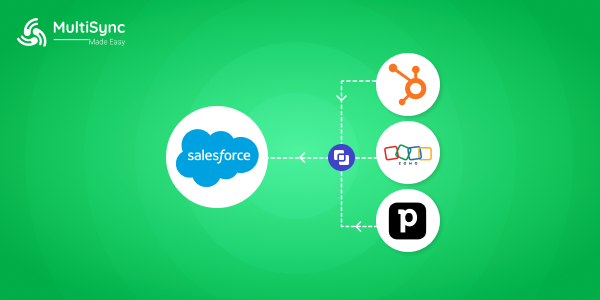
Migrating from HubSpot, Zoho, or Pipedrive to Salesforce isn’t just a technical move; it’s a strategic shift toward scalability, AI-driven insights, and enterprise-grade automation. Salesforce CRM migration has become a top priority for growing businesses looking to future-proof their customer operations. As organizations scale, lightweight CRMs often start to feel restrictive, pushing teams toward Salesforce for deeper customization, seamless integrations, and advanced AI capabilities powered by Salesforce AI and Agentforce.
This guide walks you through a step-by-step CRM to Salesforce migration process, covering planning, tools, best practices, and workflow automation. You’ll also see how using a Salesforce CRM migration app can simplify data transfers, reduce manual effort, and ensure data accuracy, making your transition to Salesforce smooth, secure, and future-ready.
Before diving into the migration, it’s important to understand why Salesforce CRM migration has become a rapidly growing Google search trend. As businesses scale, many outgrow the limitations of entry-level CRMs and begin looking for a platform that can support complex workflows, advanced automation, and enterprise-grade analytics.
HubSpot to Salesforce migration is increasingly common among fast-growing sales and marketing teams that need deeper customization, stronger reporting, and tighter integration across revenue operations. While HubSpot excels at ease of use, organizations often hit ceilings when managing large datasets, multi-team processes, or advanced Salesforce workflow automation.
Similarly, Zoho to Salesforce migration is driven by businesses seeking a more robust CRM ecosystem. Salesforce offers a vast AppExchange marketplace, powerful AI capabilities like Salesforce Einstein, and native integration tools that help unify sales, service, marketing, and analytics under one platform—something many mid-market and enterprise teams require as they scale.
For sales-focused teams, Pipedrive to Salesforce migration is gaining momentum as deal volumes increase and pipeline management becomes more complex. Salesforce’s advanced automation, custom objects, and AI-powered insights provide greater visibility and control over the entire customer lifecycle, beyond just deal tracking. You can also integrate Mailchimp and PipeDrive to supercharge your sales.
Across all three platforms, the shift to Salesforce is fueled by the same core needs: better scalability, deeper integrations, AI-driven insights, and a true 360° customer view, making Salesforce the long-term CRM foundation for modern, data-driven organizations.
Most growing teams face:
Salesforce solves these with:
This is why HubSpot, Zoho, Pipedrive, and Salesforce migration is no longer optional; it’s strategic.
Every successful CRM to Salesforce migration starts with a detailed audit.
Create a Salesforce migration checklist before touching any data. This ensures clarity and avoids post-migration chaos.
Pro tip: This is where a Salesforce consultant or Salesforce consulting company adds massive value.
Migrating bad data into Salesforce only creates bigger problems.
This step is critical for Salesforce CRM migration accuracy and long-term reporting reliability.
Your migration success heavily depends on the tools you use.
This is especially useful when migrating from HubSpot to Salesforce, Zoho to Salesforce, or Pipedrive to Salesforce without downtime.
Now comes the execution phase.
This structured approach ensures Salesforce data migration best practices are followed.
Migration alone doesn’t unlock Salesforce’s full value, integration does.
This is where Salesforce integration services and Salesforce workflow automation truly shine.
Once your data lives in Salesforce, AI becomes actionable.
This transforms your Salesforce CRM from a database into a revenue intelligence platform.
Before going live:
Once approved, move from sandbox to production and monitor performance closely during the first 30 days.
While DIY migration is possible, most growing businesses prefer a Salesforce partner or Salesforce consultant to:
A trusted Salesforce consulting company also helps align CRM migration with business goals — not just data movement.
A successful Salesforce CRM migration isn’t about copying data; it’s about upgrading how your business operates.
When done correctly, migrating from HubSpot, Zoho, or Pipedrive to Salesforce delivers:
And that’s where the real ROI begins. After migrating CRM data to Salesforce, the next challenge is keeping all systems connected and data flowing seamlessly. MultiSync Made Easy enables businesses to integrate Salesforce with HubSpot, Zoho, Pipedrive, and other applications through no-code, automated syncs. This ensures a unified customer view, reliable Salesforce workflow automation, and long-term data accuracy, without ongoing technical complexity.
New to automation with MultiSync? You're not alone. Here are some answers to common questions about how MultiSync works.
Most migrations take 2–6 weeks, depending on data volume, integrations, and automation complexity.
Yes. Modern no-code Salesforce migration tools allow full data migration without writing code.
Absolutely. Once data is migrated, you can immediately leverage Salesforce AI and Agentforce for insights and automation.
Common risks include poor data mapping, duplicate records, and broken workflows, all avoidable with proper planning.
Yes. Salesforce offers native Slack integration, enabling real-time CRM alerts, deal updates, and workflow automation.
Step ahead with our robust and intelligent app that instantly integrates multiple platforms — even the unknown ones!